

Download DVD Snapshot – Free, Secure, High-Quality DVD Screenshot Tool for Windows & Mac
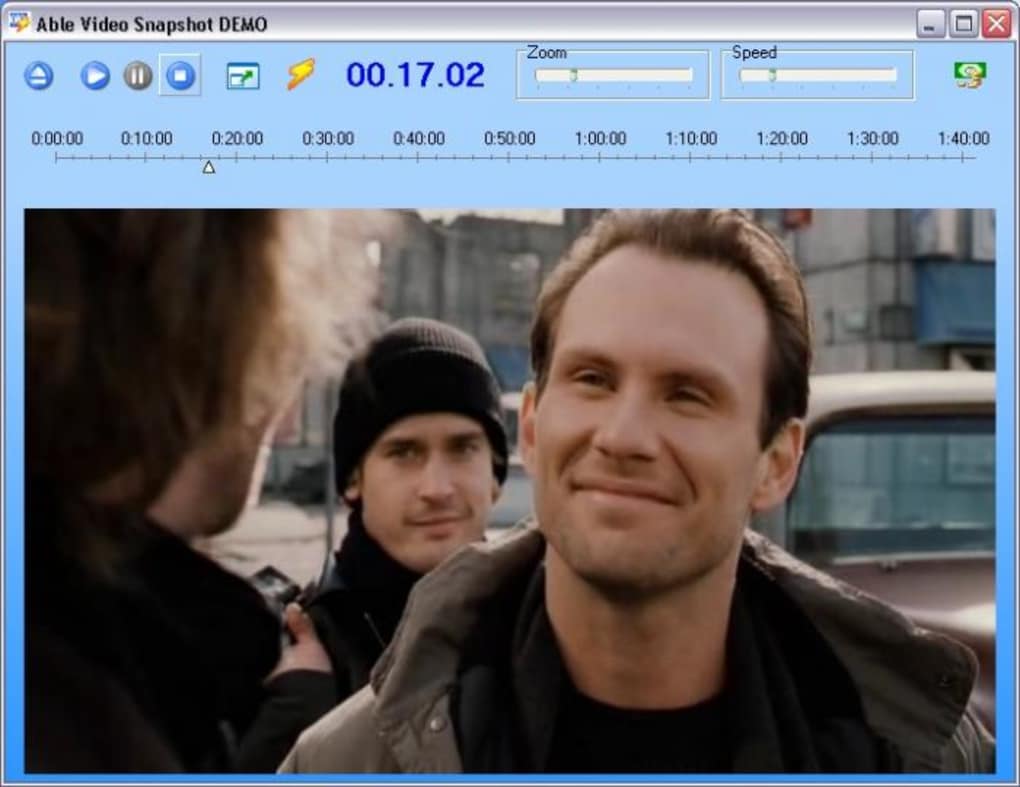
DVD Snapshot is a lightweight, user-friendly software designed for capturing high-resolution still images directly from your DVD movies. Whether you're creating personalized wallpapers, building a digital photo gallery of your favorite actors, or preserving memorable cinematic moments, this tool makes the process effortless. With a simple interface and one-click snapshot functionality, DVD Snapshot lets you pause your movie at the perfect frame and save it instantly.
It supports common video formats like MPEG, AVI, and WMV, and includes a zoom feature to focus on specific details. While the software is free and secure, it has a notable limitation: it cannot access protected DVDs without prior decryption. For casual users who own unprotected discs or have already ripped their DVDs, DVD Snapshot is a reliable and efficient solution.
Download now and start capturing cinematic magic with just a few clicks.
Key Features of DVD Snapshot
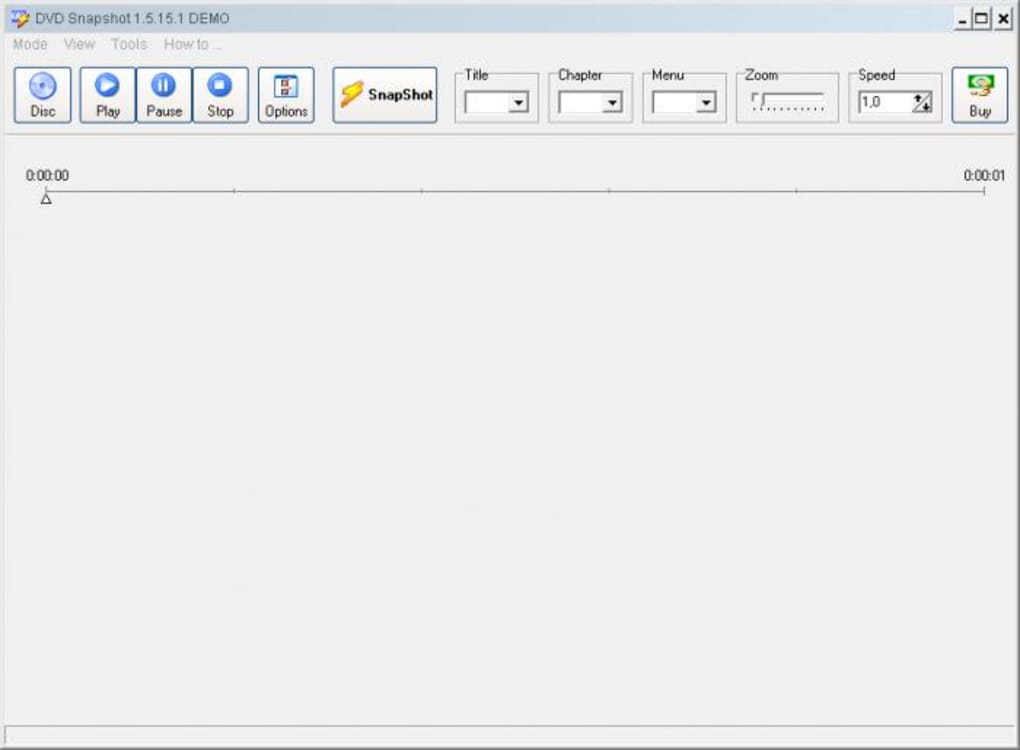
DVD Snapshot stands out in the world of DVD capture tools thanks to its simplicity and performance. One of its most appealing features is the intuitive interface, which requires no technical knowledge. You simply insert your DVD, launch the software, and begin playing the movie. When you reach a scene you want to capture, press the “Snapshot” button—voilà, the image is saved automatically. This one-step process eliminates the need for complex settings or video editing skills.
The tool supports multiple video formats, including MPEG, AVI, and WMV, making it compatible with a wide range of DVD content. It also includes a built-in zoom function, allowing you to magnify specific areas of the screen. This is particularly useful for capturing facial expressions, subtle details in costumes, or even text on screen. The saved images are high-resolution and maintain excellent quality, suitable for use as desktop wallpapers or print-ready photos.
Another strong point is the software’s lightweight design. DVD Snapshot runs smoothly on both Windows and Mac systems without consuming excessive system resources. It’s also free to download and use, with no hidden costs or trial limitations. While the trial version doesn’t support protected DVDs, it’s still a valuable tool for users with decrypted or unprotected discs. For those who want to preserve cinematic moments without investing in expensive software, DVD Snapshot delivers excellent value.
How to Install and Use DVD Snapshot (Step-by-Step Guide)
Getting started with DVD Snapshot is straightforward and ideal for beginners. First, download the software from a trusted source. Make sure to choose the version compatible with your operating system—Windows or Mac. Once downloaded, run the installer and follow the on-screen instructions. The installation process is quick and doesn’t require advanced configuration.
After installation, insert your DVD into your computer’s disc drive. Open DVD Snapshot, and the software will automatically detect the disc and load the movie. Use the playback controls to navigate through the film until you reach the scene you want to capture. The software supports standard play, pause, fast forward, and rewind functions.
When the frame is perfect, simply press the “Snapshot” button. The image will be saved automatically to your designated folder, typically the default “Pictures” directory. You can customize the save location and file format (JPEG, PNG) in the settings menu. The zoom feature allows you to enlarge the image for close-ups—just adjust the zoom level before capturing. For best results, ensure your screen resolution is set to the highest possible for crisp, detailed snapshots.
For users working with protected DVDs, a workaround is required. Since DVD Snapshot cannot access encrypted discs directly, you’ll need to first decrypt the DVD using tools like DVDFab or HandBrake. Once the content is ripped and saved as an unprotected file, you can import it into DVD Snapshot. While this adds an extra step, it’s a small price to pay for the convenience and quality the software offers.
Compatibility and System Requirements
DVD Snapshot is designed to run smoothly on both Windows and Mac operating systems. It supports Windows 7 and later versions, including Windows 10 and Windows 11, as well as macOS 10.13 (High Sierra) and newer. The software is compatible with most standard DVD drives and works with both internal and external optical drives.
System requirements are modest, making it accessible even on older machines. You’ll need at least 512 MB of RAM, 100 MB of free disk space, and a processor capable of handling video playback. The software doesn’t require a dedicated graphics card, as it relies on the system’s built-in video decoding capabilities. This ensures broad compatibility across a wide range of devices.
It’s important to note that while DVD Snapshot supports MPEG, AVI, and WMV files, it does not natively handle protected DVDs. If you’re using a disc with CSS (Content Scramble System) encryption, the software will not be able to access the content. To overcome this, you must first decrypt the DVD using a third-party tool. This limitation may deter some users, but for those with unprotected or already ripped discs, the software performs reliably.
Additionally, the software is completely free to download and use. There are no trial periods, in-app purchases, or subscription fees. It’s also safe to install, with no ads or bundled malware. Users can trust it as a secure tool for capturing video frames without compromising their system’s integrity.
Pros and Cons of DVD Snapshot
- Pros:
- Free and secure download with no hidden costs
- Simple, intuitive interface perfect for beginners
- High-quality image capture with zoom functionality
- Lightweight and fast performance on older systems
- Supports multiple video formats (MPEG, AVI, WMV)
- One-click snapshot saves time and effort
- Great for creating wallpapers and personal photo collections
- Cons:
- Cannot access protected DVDs without decryption
- Advanced features like batch capture are missing
- No built-in video conversion or editing tools
- Limited to DVD playback—no support for streaming content
- Zoom feature works only during playback, not post-capture
Frequently Asked Questions (FAQ)
Can I use DVD Snapshot on Mac?
Yes, DVD Snapshot is fully compatible with macOS 10.13 and later versions. The Mac version offers the same features as the Windows version, including one-click snapshots and zoom functionality.
Why can’t DVD Snapshot play my DVD?
The most common reason is that your DVD is protected with CSS encryption. DVD Snapshot cannot access encrypted discs directly. You’ll need to decrypt the DVD using a tool like DVDFab or HandBrake before importing it into the software.
Does DVD Snapshot support video editing?
No, DVD Snapshot is not a video editor. It’s a snapshot tool focused solely on capturing still images from DVDs. For editing or converting videos, you’ll need to use a separate application like HandBrake or FastStone Capture.
Is DVD Snapshot safe to download?
Yes, DVD Snapshot is safe to download and use. It’s a free software with no ads, malware, or bundled programs. Always download from official or trusted sources to ensure security.
Can I capture multiple snapshots at once?
Currently, DVD Snapshot does not support batch capture. You must take each snapshot individually. However, the process is quick and straightforward, making it easy to capture multiple frames during a single viewing session.
Final Verdict: Is DVD Snapshot Worth It?
DVD Snapshot is an excellent choice for anyone looking to capture high-quality stills from their DVD collection. Its free, secure, and user-friendly design makes it accessible to both beginners and casual users. The one-click snapshot feature, combined with zoom functionality, ensures you can preserve your favorite movie moments with ease. While it does have limitations—especially regarding protected DVDs—it remains a powerful tool for those who already have decrypted discs or use older, unprotected media.
If you’re a fan of cinema, an actor, or simply enjoy personalizing your digital space with movie art, DVD Snapshot delivers real value. It’s fast, reliable, and requires no technical expertise. For users who want a no-frills solution to capture memorable scenes, this software is a top contender.
Download DVD Snapshot today and start creating your own cinematic gallery—no experience needed!







